


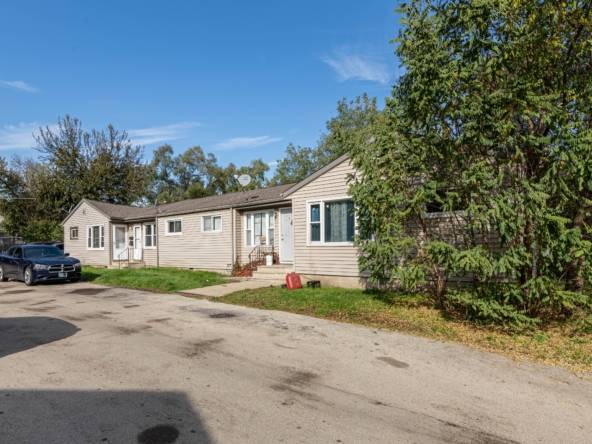
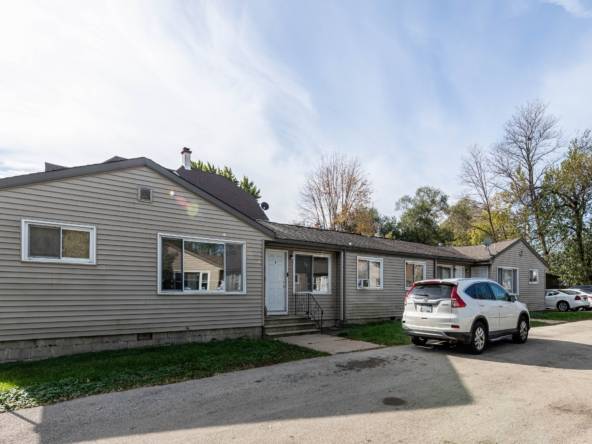
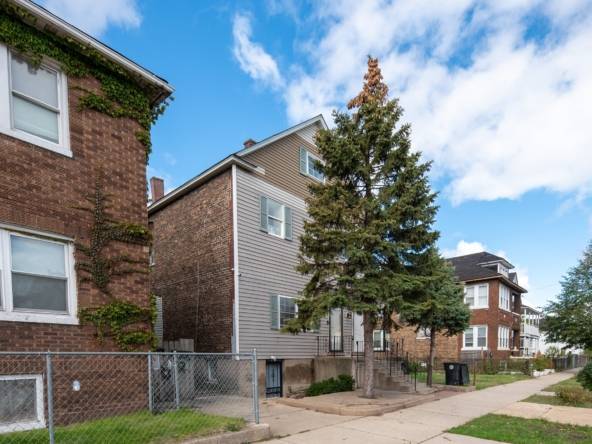
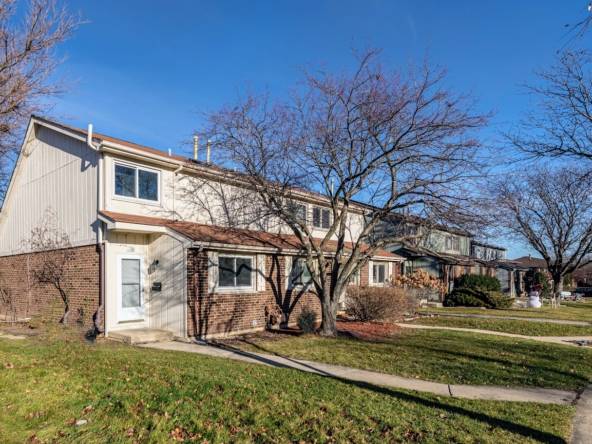
HOT – Off Market – 29 Units – Rogers Park
$4,990,000
Multifamily
 Units: 29
 Beds: 38
 Baths: 29
 10260 Sq Ft
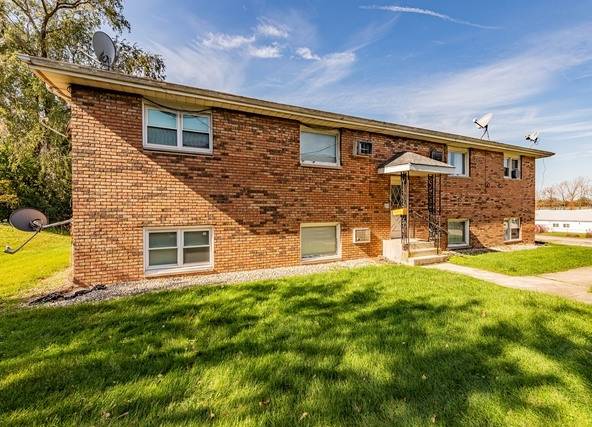
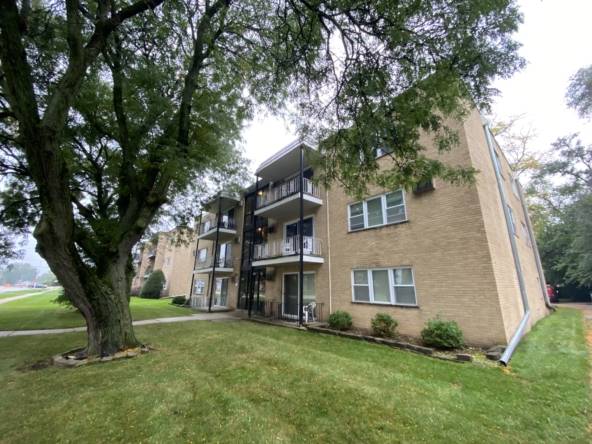






Don’t play the same game as everyone else. Get access to hundreds of multifamily properties you won’t find anywhere else and accelerate the growth of your real estate empire.
Real Estate. A Better Way.
Are you an investor seeking more than just property listings? Discover how our forward-thinking platform can empower your real estate journey, offering scalable and replicable strategies for success. We’re not just about providing inventory, but about facilitating your path to substantial and sustainable real estate success
Looking to sell your building? Why confine yourself to the local market? Break through the traditional broker mold with us. We present your property to hundreds of prequalified investors nationwide, many of whom find their local markets overly competitive or unaffordable.
Discover how we can broaden your property’s visibility through public or private listings. Our method opens up a world of possibilities, connecting you with a diverse range of investors to ensure you get the best possible deal.
Leveraging our in-house team of skilled Analysts and Data Engineers, we’ve revolutionized the real estate search process. We’ve moved beyond the limitations of traditional brokers and mainstream platforms like LoopNet to curate a selection of high-quality, cash-flow positive properties throughout the Midwest. Explore our dynamic assortment of both off-market and on-market properties.
Our inventory, reflecting the pulse of the real estate market, is updated in real time
Don’t play the same game as everyone else. Get access to hundreds of multifamily properties you won’t find anywhere else and accelerate the growth of your real estate empire.
Real Estate. A Better Way.
Are you an investor seeking more than just property listings? Discover how our forward-thinking platform can empower your real estate journey, offering scalable and replicable strategies for success. We’re not just about providing inventory, but about facilitating your path to substantial and sustainable real estate success
Looking to sell your building? Why confine yourself to the local market? Break through the traditional broker mold with us. We present your property to hundreds of prequalified investors nationwide, many of whom find their local markets overly competitive or unaffordable.
Discover how we can broaden your property’s visibility through public or private listings. Our method opens up a world of possibilities, connecting you with a diverse range of investors to ensure you get the best possible deal.
Leveraging our in-house team of skilled Analysts and Data Engineers, we’ve revolutionized the real estate search process. We’ve moved beyond the limitations of traditional brokers and mainstream platforms like LoopNet to curate a selection of high-quality, cash-flow positive properties throughout the Midwest. Explore our dynamic assortment of both off-market and on-market properties.
Our inventory, reflecting the pulse of the real estate market, is updated in real time
A New Approach to a Dated Industry. Our out-of-the-box thinking didn’t stop at Deal Sourcing. Tired of the old, archaic way real estate was being bought and sold, we set out to create a new-aged, cutting-edge platform that removes all the fluff and cuts right to the heart of a deal. You won’t receive any 35-page OMs from us, we promise.
Units: 29Beds: 38Baths: 2910260 Sq FtCitypoint delivers access to properties you will see NOWHERE ELSE. But what’s more, listings on our public platform are just the tip of the iceberg of all our available properties.
Reach out to us, and we’ll personally tailor a selection of properties that align with your unique investment objectives
Deal Flow – Learn how we source properties.
Management – Direct access to preferred management cos. Competitive rates and unparalleled service.
Value Add – Assistance with Lease Up, Construction, and Accelerated Appreciation.
Financing – Direct access to preferred lenders for Acquisition and Refinance options.
Investing in real estate can be risky. You can make money and you can lose money as well. Forward-looking statements or estimations provided by Citypoint do not represent any final determination on investment performance. While the information provided to investors has been researched and is thought to be reasonable and accurate, any real estate investment is speculative in nature. Any areas concerning taxes or specific legal or technical questions should be referred to lawyers, accountants, consultants, brokers, or other professionals licensed, qualified or authorized to render such advice. Real estate investing may not be suitable for all investors. Read our Roles and Responsibilities guide here.
Citypoint does not hire or have a financial interest in any service providers. Investors can hire any provider of their choosing.
Please enter your username or email address. You will receive a link to create a new password via email.
Fill out Citypoint‘s Off-Market Appointment Request Form below. When complete a Citypoint representative will contact you to discuss.

Fill out the application below to receive access to our off-market inventory & alerts on new off-market properties.
Why do I need to complete an investor application?
Many of our sellers choose to work with Citypoint due to the discretion provided when listing their property. They prefer not to alert tenants and/or neighbors that the property is being sold.
They also trust Citypoint in bringing qualified investors that are ready, willing and able to buy properties. This ensures an efficient transaction process for both the buyer and the seller.
Already working with a Citypoint team member? No problem! Contact your team member to receive the most up to date off-market inventory.